Product
How to deal with the EU AI Act in Real Estate
30 July 2026 · 6 min read
From 2 August 2026, the EU AI Act requires real estate agencies to clearly label property photos and videos that are AI-generated or AI-modified, including virtually staged interiors. If your team uses AI to furnish empty rooms or enhance listing photos, this guide explains what you need to do, which official labels to use, and how Habiata Studio helps you stay transparent without slowing down your workflow.
What real estate agencies need to know
Buyers in Luxembourg expect honest representations. A photo that adds furniture to an empty apartment, swaps a sky, or fully generates a room is no longer “just a nice picture”. It is synthetic or manipulated content that must be disclosed in a clear and distinguishable way when it could mislead someone about what they will see on a visit.
Article 50 of the EU AI Act focuses on two areas that matter most to agencies:
Deepfakes: AI-generated or manipulated image, audio, or video that could appear authentic (for example a face swap, a fabricated room, or a synthetic walk-through).
AI-generated public-interest text: published without human editorial control (less common in day-to-day agency work, but relevant for automated market summaries or news-style posts).
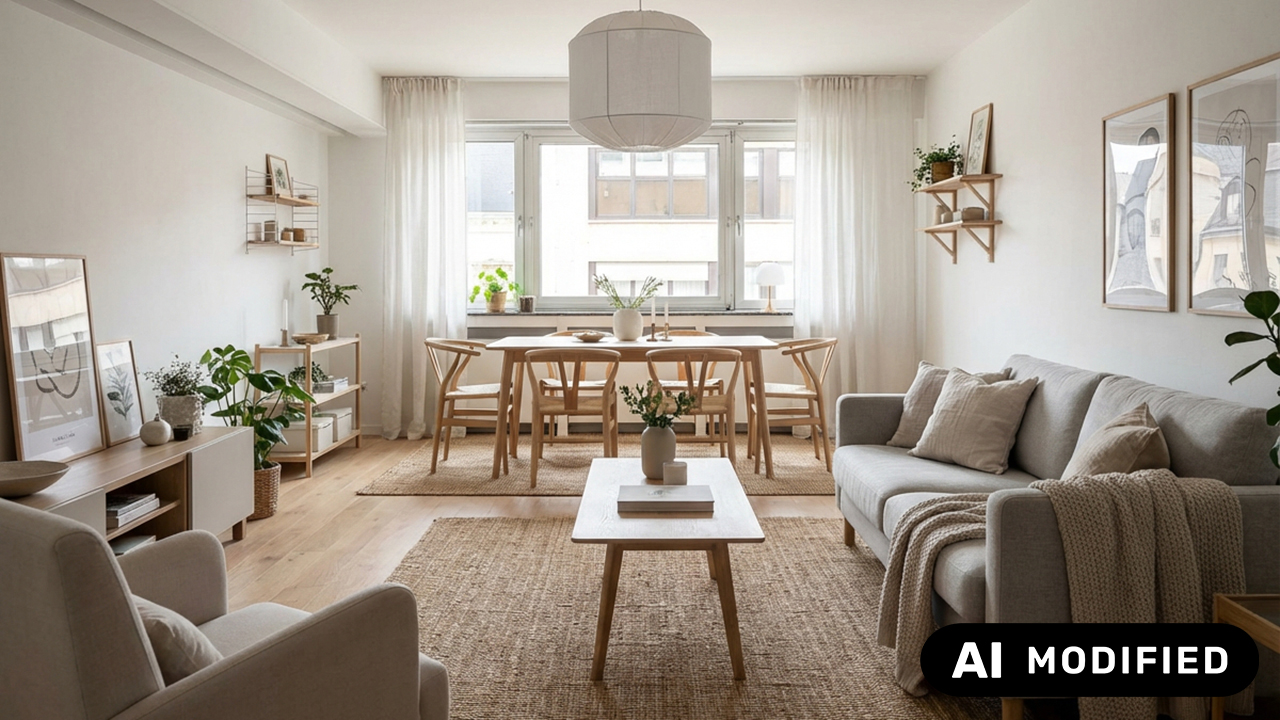
Virtual staging on a real photo of an empty flat is typically partially AI-modified content: the walls and floor are real; the furniture is not. That is exactly the scenario the European Commission’s optional icon set was designed for.

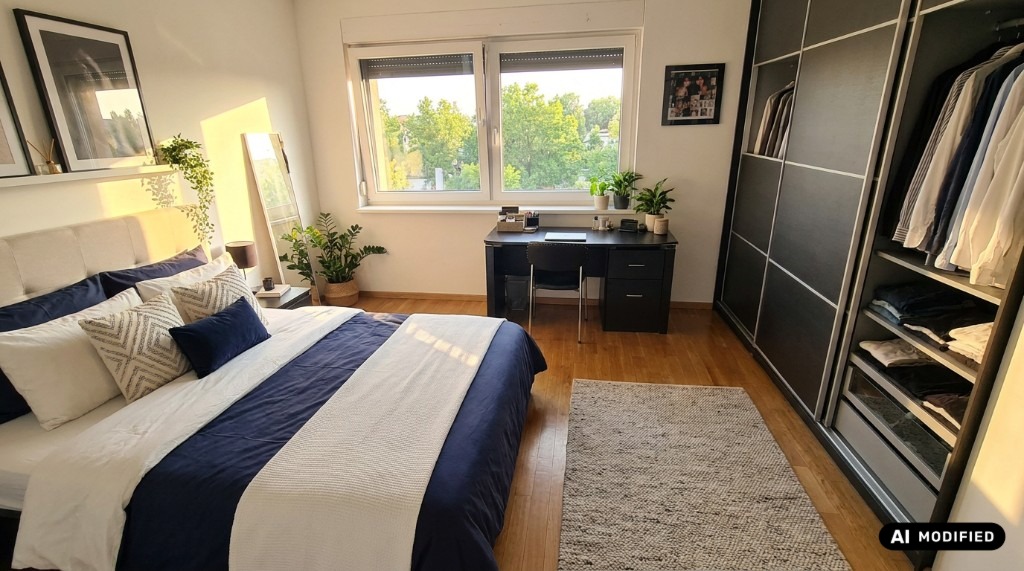
A listing photo transformed with AI virtual staging. Label it with AI Modified before you publish.

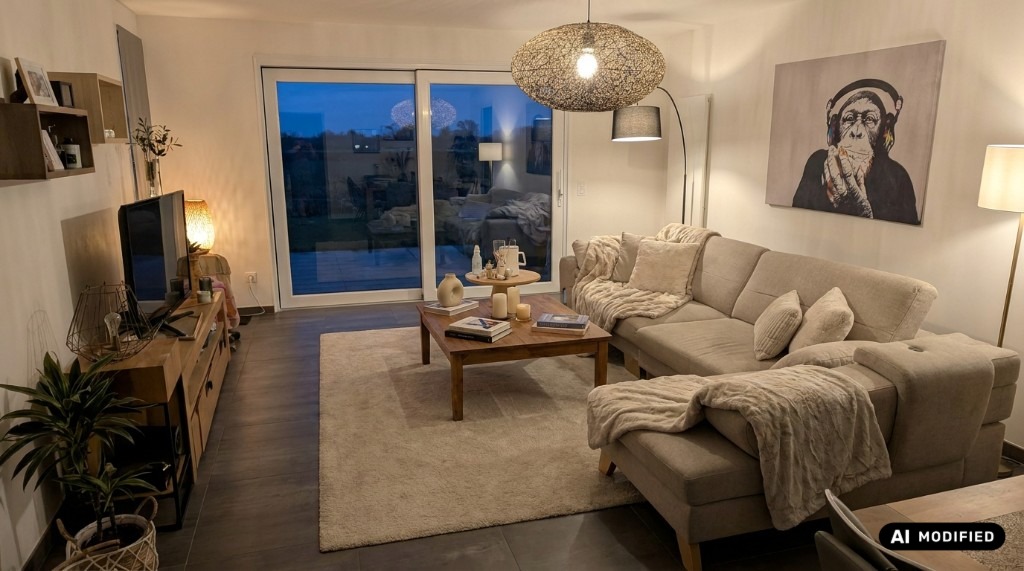
AI can tidy and restyle a lived-in room, not just empty spaces. That still counts as AI Modified content.
The Commission provides three labels, free to use and with no attribution required, explained on their EU icons for labelling AI-generated content page. Using the icons is voluntary; meeting the underlying transparency obligation is not.
The three EU labels, and when to use each

AI (basic icon)
When AI was involved and you want a compact disclosure, or you pair it with your own plain-language caption.

AI Generated
The entire visual was created by AI, for example a fully synthetic room with no original photograph.

AI Modified
A real photo was changed with AI: the classic virtual staging case for empty apartments.
For most Habiata customers, AI Modified is the default choice after virtual staging. Use AI Generated when the output is entirely synthetic. The basic AI icon works when you add your own wording (“Virtually staged with AI”) next to the mark.
How to label virtual staging before you publish
You do not need a separate design tool. In Habiata, labelling fits into the workflow you already use for virtual staging:
Stage in AI Studio. Open Studio, upload photos of an empty property, and use AI editing to furnish rooms, adjust lighting, or refine details. Results land in your Studio library, linked to the property.
Open Watermarks. Switch to the Watermarks tab in Studio (or jump there from a staged image). Pick the photos you want to publish.
Apply an EU preset. Under Templates & presets, choose EU AI Modified, EU AI Generated, or EU AI (basic icon). Adjust size and position if needed. Labels use transparent PNG artwork so they sit cleanly on your photo.
Batch export. Apply the same layout to every image in the selection, then save watermarked versions to Studio › Watermarks or attach them to the property for portals and exposés.
You can save your layout as a company template and even set it as the default, so every agent on your team starts from the same disclosure position.
How Habiata Studio helps you comply in practice
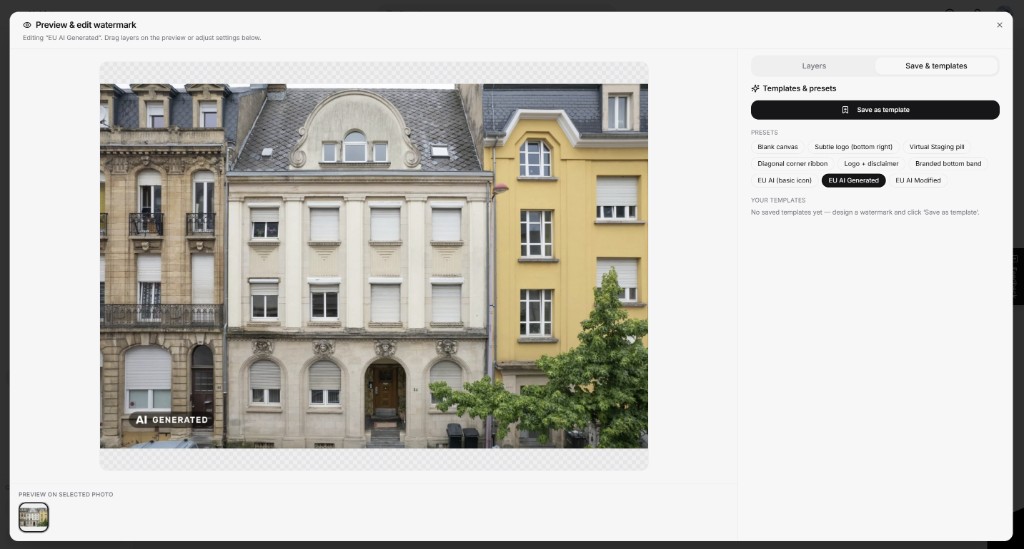
Official-style EU presets
Three built-in starting points matching the Commission’s AI, AI Generated, and AI Modified icons.
Virtual Staging pill
Combine an EU label with Habiata’s existing “Virtual Staging” text preset, or stack layers for agency branding plus disclosure.
Batch on property folders
Select every staged photo for a listing and export labelled versions in one pass, before atHome, immotop, your website, or WhatsApp.
WYSIWYG preview
What you see in the canvas is exactly what gets exported, with no surprises after upload.
Practical tips for Luxembourg agencies
Label the files you publish. Keep unstaged originals in the property folder; send labelled exports to portals, exposés, and social channels.
Match the label to the edit. Virtual staging on a real empty room → AI Modified. Fully synthetic hero shots → AI Generated.
Make it visible early. Place the icon where it cannot be cropped away. Bottom-left is a common choice and matches our presets.
Add plain language when helpful. Icons work best alongside a short line buyers understand: “Furniture shown for illustration: virtually staged with AI.”
Train once, apply everywhere. Save a default watermark template so new agents do not have to remember placement rules on every listing.
Exceptions and limits: what Habiata does not replace
The AI Act allows lighter disclosure for clearly artistic or fictional work, and different rules may apply when a human editor takes responsibility for published text. Portal-specific terms, consumer law, and your agency’s own policies still apply.
Habiata’s Watermarking Studio is a practical tool, not legal advice. Using the EU icons does not, by itself, establish full compliance; you remain responsible for how content is presented. Our User Terms advise teams to label AI-created and AI-modified images before sharing them externally. For data handling, see Security and Privacy.
Next steps for your agency
Already using Habiata for virtual staging? Open the Watermarks tab on your next listing, apply the EU AI Modified preset, and save it as your agency default before your next portal publication.
New to AI staging? Furnish an empty room in AI Studio first, then add the label before the image goes to atHome, immotop, your website, or an exposé.
Want help setting up labelling for your team? Start your free trial or email contact@habiata.lu. We can walk through the EU AI Act workflow on a live property.