Product
Habiata now works with Claude, ChatGPT and the tools you already use
9 October 2026 · 7 min read
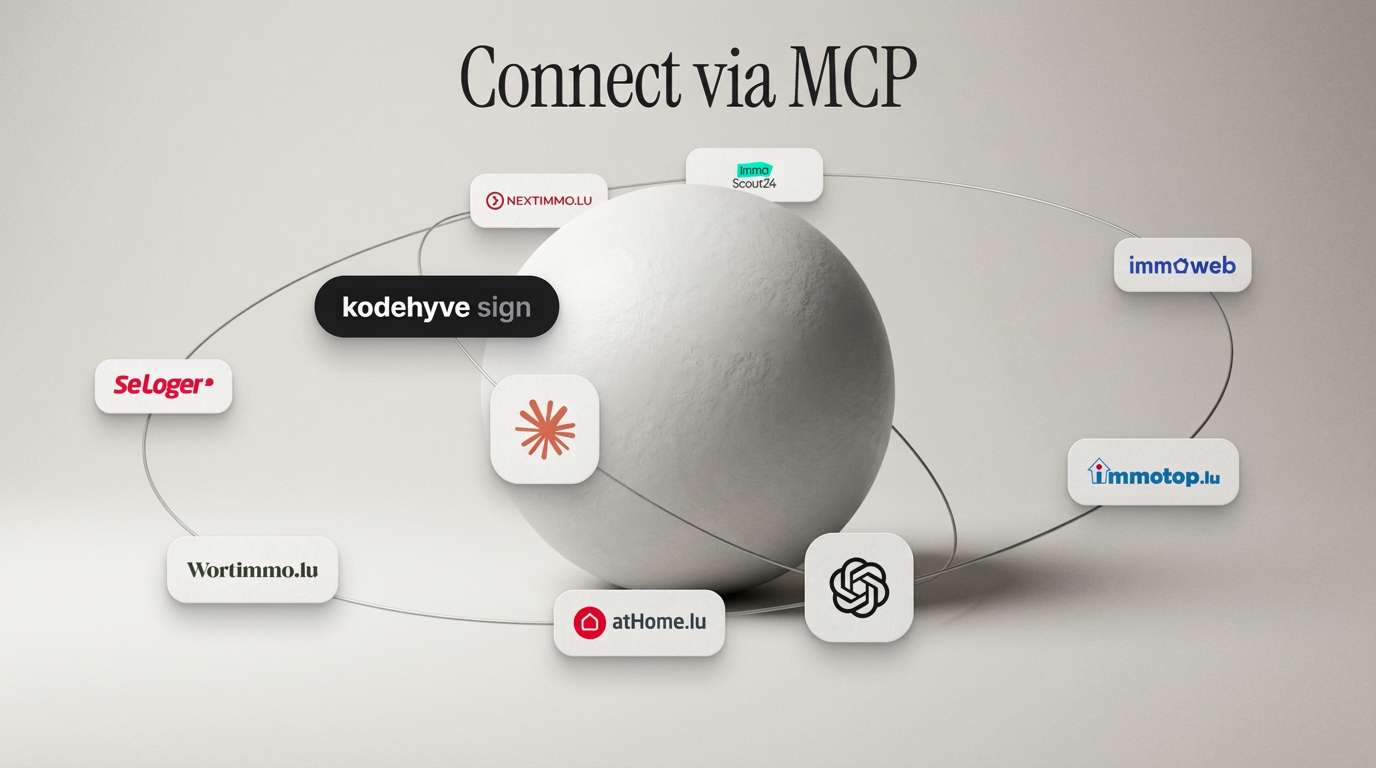
A normal day at an agency runs through a lot of tools: portals, inboxes, calendars, WhatsApp, a newsletter tool and, more and more often, an AI assistant like ChatGPT or Claude.
Habiata now connects to all of them from one Integrations page. And with the new Habiata MCP, your AI assistant can look up and update your contacts, deals, visits and properties for you.
The Habiata MCP server is available at https://mcp.habiata.lu.
One page for every integration
Open Integrations in your dashboard and you will find everything Habiata connects to in one place, grouped by what it does. It replaces the old Portals page, so your portal connections are still there, right next to everything else.
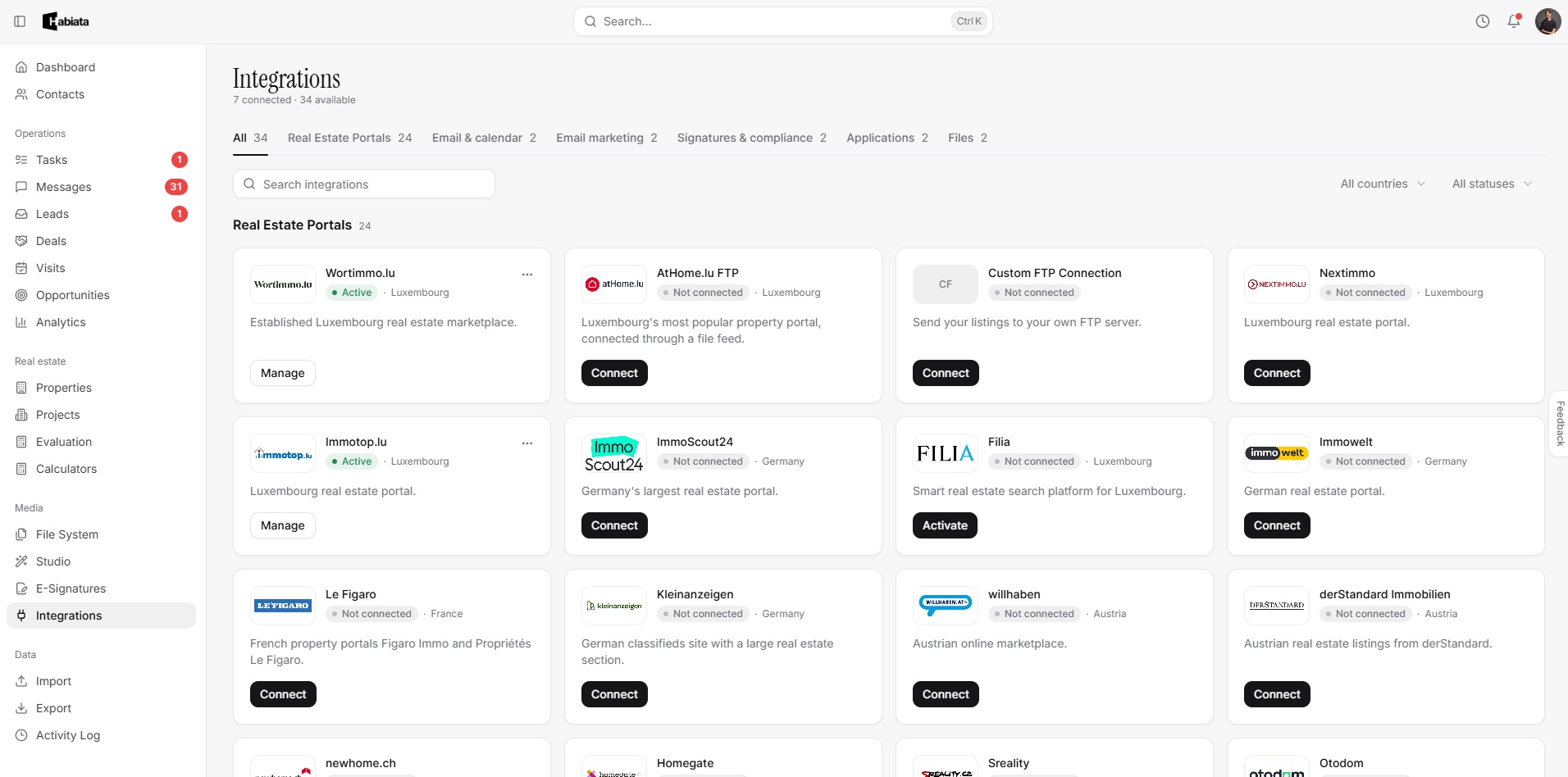
Real estate portals
atHome.lu, immotop.lu, wortimmo.lu, nextimmo.lu and Filia, plus portals in Germany, France, Belgium, Austria, Switzerland and beyond.
Email and calendar
Gmail, Outlook or any IMAP provider in Messages. Visits sync to Google Calendar or Apple Calendar.
Messaging and social
Chat with clients on WhatsApp Business from Messages. Post listings to Facebook and Instagram.
Email marketing
Keep your Brevo or Mailchimp list in sync with your CRM.
Signatures
eIDAS e-signatures with kodehyve sign. KYC and AML checks are coming soon.
Files and AI New
Google Drive and Dropbox for AI Workspaces. Claude, ChatGPT and Cursor through Habiata MCP.
Website and API
Your own website, lead and valuation forms, the Public API and an FTP feed.
Each integration shows who sets it up. Some are connected once for the whole agency by an owner or admin: portals, signatures, your website, email marketing and Habiata MCP. Others are personal, so each agent connects their own inbox, calendar, WhatsApp, social pages and file storage. Keys and passwords are stored encrypted, and you can disconnect anything at any time.
New: Habiata MCP for Claude, ChatGPT and Cursor
Lots of agents already use ChatGPT or Claude to write emails, summarise documents or prepare for a viewing. The problem is that the assistant knows nothing about your clients or your listings, so you end up copying information back and forth.
Habiata MCP fixes that. MCP, short for Model Context Protocol, is an open standard that lets AI assistants connect safely to other software. Once you connect Habiata, your assistant can work with your real data, as you, with exactly the access you have in Habiata.
What you can ask
"Which of my buyers are looking for a three-bedroom apartment in Strassen under €900,000?"
"Summarise the Weis deal before my call: contacts, visits and the latest notes."
"Schedule a visit at the Belair apartment with Max Weis on Friday at 10:00."
"Which new leads came in this week, and which properties are they asking about?"
"Open the energy certificate in the Rue de Hollerich folder and tell me the energy class."
"Here is the attendee list from our open house. Add everyone as a contact with the tag open-house."
What it can do
Contacts: search, read the full history, create new contacts and update existing ones.
Deals: find deals, link contacts and properties, update the details, move them through the pipeline and close them.
Visits: see upcoming visits in your time zone, schedule new ones and reschedule.
Properties and projects: search by price, area, type or distance, read the details and create new properties. New properties are not published to portals until you do it in Habiata.
Search mandates and matches: see what your buyers are looking for and which properties match, and create or update a search.
Leads: see incoming leads, move them along and convert them into a contact and a deal.
Documents: find files and folders, read documents, spreadsheets and photos, and rename or tag files.
It works with Claude, ChatGPT and Cursor, and with other tools that support MCP, such as Langdock.
Built to be safe
Your client data is the most valuable thing your agency has, so we were careful about how an AI assistant gets to it.
Off until you turn it on. Nothing is shared until an owner or admin activates Habiata MCP for the agency. You can deactivate it at any time, and access stops straight away.
Everyone signs in as themselves. There are no shared passwords or API keys. Each person connects with their own Habiata login, and the assistant only sees what that person can see in Habiata.
The assistant asks before anything serious. Deleting a record, closing or cancelling a deal, or archiving a project always takes a second step. The assistant first shows you exactly what will happen, for example "Delete contact Max Weis", and only goes ahead once you confirm.
You can see what happened. Admins get a list of recent calls showing who used which action, from which tool and when. Habiata does not store your questions or the answers.
One thing to keep in mind: when you ask your assistant about a contact or a property, that information is sent to the AI provider you chose, such as OpenAI or Anthropic, under your own account with them. Our privacy policy explains this in detail. If your agency has rules about which AI tools may be used, check them before you connect.
How to connect
Activate it for your agency. An owner or admin opens Integrations, picks Habiata MCP and clicks Activate.
Copy the server URL. Each agent opens the same page. It shows the server URL, https://mcp.habiata.lu, and step-by-step instructions for each tool.
Add it to your assistant.
Claude: go to Settings › Connectors › Add custom connector and paste the server URL.
ChatGPT: turn on Developer mode under Settings › Apps › Advanced settings, then create an app with the server URL, choose OAuth and enter the client ID shown in Habiata.
Cursor: copy the ready-made snippet from the Habiata page into your mcp.json file, then click Connect in Cursor Settings › MCP.
Sign in with your Habiata account. Your assistant opens the Habiata login. Once you are in, just ask your first question.
If you work for more than one agency in Habiata, the assistant will ask which one you mean.
And there is more
Integrations and Habiata MCP are not the only things that are new. Over the last few weeks we have also added:
Tasks: create tasks, assign them to one or more colleagues and link them to a contact, lead, deal, property or visit. Habiata also creates follow-ups for you, for example to ask for feedback after a visit or to chase an email that got no reply, and Mailbot suggests tasks straight from your inbox.
Today: a panel on your dashboard with today's tasks, visits and new leads, plus any deals that are past their closing date.
Photo Editor: in Studio, crop, straighten and adjust your listing photos, or apply a preset like Bright & airy, then save a copy or replace the original.
Leads pipeline: follow every lead from New to Converted, with a lead score that shows you who to call first.
Import and export: bring in properties and contacts from spreadsheets or your previous software, and export your data whenever you need it, including a full backup.
All of it is already available in your account.
Included in your seat
All the integrations in this article are part of your Habiata seat. You only need an account with the tool itself, for example Claude or ChatGPT. Electronic signatures need a kodehyve account.
Missing a tool your agency relies on? See all integrations and tell us what to add next, or email us at contact@habiata.lu. New to Habiata? Start your free trial.